Pick it up
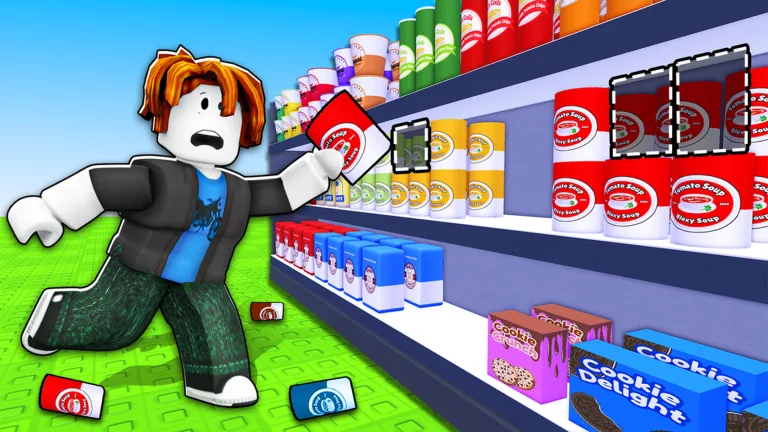
Press E to grab a scattered grocery item before moving.
Keep this open while you play Clean the Supermarket on Roblox. Search any grocery item, aisle, or code for the aisle it belongs in and the shelf color to match.
Last updated 2026-06-28 · By Jim Liu
The four pages most players open mid-run.
Shift finished? Play arcade classics for free
PS1, Genesis and cabinet-era arcade games that run in a browser tab. No download, no emulator, no account.
Browse the cabinet list →Use the locator for speed, or scan the complete table when your squad is learning the store.
| Category | Example items |
|---|---|
| Fresh Produce | Apple, Banana, Tomato, Lettuce |
| Bakery | Bread, Baguette, Croissant, Muffin |
| Dairy & Chilled | Milk, Cheese, Butter, Yogurt |
| Frozen | Ice Cream, Frozen Pizza, Frozen Fish, Frozen Vegetables |
| Drinks | Soda, Water, Juice, Coffee |
| Snacks | Chips, Chocolate, Candy, Cookies |
| Health & Beauty | Shampoo, Soap, Toothpaste, Lotion |
| Household | Detergent, Paper Towels, Trash Bags, Sponges |
| Meat & Seafood | Beef, Chicken, Pork, Fish |
| Pantry / Canned | Pasta, Rice, Canned Soup, Beans |
The core loop is simple; speed comes from fewer wrong trips.
Press E to grab a scattered grocery item before moving.
Type the item name and get the category it belongs with, before you walk.
Buy Carry Capacity first so every walk sorts more items.
The store holds 1,000+ items. Finishing at all is what most players never do.
Three corroborated upgrade categories, and no invented buy order.
The upgrades that independent guides actually corroborate are carry capacity, movement speed, and cash per item. That is the honest list. The developer's own description only promises "upgrades" generically, and nobody publishes their costs or effect sizes.
This site used to rank six named upgrades in a tier list and sequence them in a buy order. Four of those names — Auto-Sort, Shelf Sense, Cleanup Burst, Section Unlocks — appear in no source at all, and a player who reads them goes looking in the shop for something that isn't there. Those pages have been retired rather than dressed up with a disclaimer.
What survives is reasoning, not data: carry capacity first, because in a store holding 1,000+ items, removing a trip beats shortening one. Treat that as an argument you can disagree with, not a measured fact.
Open the tool or jump to the reference page you need mid-run.
Search any grocery item and get the category it sorts into.
Open guideTrack every achievement badge and see how to unlock each one.
Open guideNo active codes yet — like + join group; the page shows when it was last checked.
Open guideLocal checklist for every item you have sorted.
Open guideThe 30-second route from pickup to sorted shelf.
Open guideReal server cap, private server status, and what changes when you sort with a squad instead of solo.
Open guideCheck whether cash, upgrades, and badges survive a crash, a new device, or the Wipe Save key.
Open guideA dated, sourced update log tracking what has actually changed since launch, not a guess.
Open guideShare the item locator, copy an embed map, or save the aisle cheatsheet text with the site URL included.
One current community video is embedded on every guide page for visual cross-checking.
Straight from the game. The badge list (all eight, with their exact unlock text and award counts) comes from the game's public Roblox badge data. The controls table comes from the developer's own game description. There are no codes — none have been issued — so the codes page tracks rather than lists.
Our own model. Which category each grocery item belongs to is ourgrouping — like goes with like, dairy with dairy. It is not an in-game shelf map, because no shelf map exists. We previously published invented aisle codes (A1-A10), shelf colours and a route planner built on them; all of it has been removed rather than left up with a caveat.
The basic loop is easy. Shaving a round down to a good time comes from cutting wasted walks, and color is the fastest cue you have.
Each aisle is one color, so once green means produce and blue means dairy you can walk straight to the shelf without reading the aisle name. Color reads across the room; the text does not. The item locator shows the color next to every result so you can drill it fast.
Grab a full load that all belongs to the front half (A1 to A5) or the back half (A6 to A10), then make one trip. Mixing a front item and a back item into the same carry doubles your walking for no reason.
More items per trip lowers total walks more than a faster walk does while you are still learning where things go. Speed pays off later once the route is memorized. The reasoning and full order sit on the keys priority guide.
What this site actually checked, and what it doesn't claim to know.
The store is organised into ten aisles, A1 Fresh Produce through A10 Pantry / Canned, and each one owns a single shelf color. That structure is what the locator is built on: it maps a grocery item to its category, and the category to an aisle and a color. So the honest description of this map is that it is category-driven — if you know an item is dairy, the map knows it belongs on the blue A3 shelf.
Be clear about what that does and doesn't buy you. It is reliable for the item names listed on each aisle, and it is reliable for the color and zone of every aisle. It is not an exhaustive, item-by-item audit of every object the game can spawn: if the developers add an item, or shelve something in a category you wouldn't predict, this map will not know until it's re-checked. When you find one of those, the contact page is how it gets fixed for everyone.
The same restraint applies elsewhere on the site. Timing figures are ranges from repeated shifts rather than a scraped in-game clock, so use them to sanity-check your pace, not as a target. Where a control binding hasn't been confirmed on a platform — the controller and mobile equivalents of Wipe Save, for instance — the tables say "not confirmed" instead of guessing something plausible. And no codes are listed, because none have been confirmed; the codes tracker carries the date it was last checked rather than padding the page with invented rewards.
Roblox games patch without notice, so anything here can go stale. When a mapping changes, the update log records what changed and when.
The store is two halves, and most wasted time is spent crossing between them.
Aisles A1 to A5 form the front zone; A6 to A10 form the back. That split is the single most useful thing to know about the layout, because the walk between zones is long and it is the walk you make most often by accident.
It happens like this: you pick up a Soda (A5, front) and a pack of Bacon (A9, back) in the same handful, then walk to a shelf, then walk the length of the store to the other one. You've just paid for a crossing to deliver two items. Do that a dozen times in a shift and the crossings alone are minutes.
The fix is to batch your carry by zone. Fill up on items that all belong to the front five, walk once, sort them, then do the same for the back five. Same items, same walking speed, far fewer crossings. This is also why Carry Capacity is a better first purchase than Move Speed — a bigger carry means more items land in each zone-batch, so the trips you eliminate compound. The how to play guide builds the ordered version of this for whichever aisles are dirty right now.
Movement speed is a real upgrade. It's just the second one.
Carry capacity first, movement speed second. That is as specific as the evidence allows — those are the two upgrade categories independent guides actually name, and no source publishes what they cost or how much they give you.
Movement speed shortens every walk you make. Carry capacity deletes walks outright — each extra item you can hold is a round trip that never happens. Deleting a trip beats speeding one up, and it keeps beating it no matter how well you know the store. So carry goes first.
The honest counter-argument: once your carry is comfortable and you've stopped pausing at aisles to think, walking genuinely is your bottleneck, and at that point Move Speed is the best coins you can spend. Players who buy it first aren't wrong about it being good — they're just buying it before it's the constraint. Nobody publishes the numbers, so there is no payback calculation to run — treat this as reasoning, not arithmetic.
A missing item usually means one of three things.
The finder covers the grocery items we have entries for. If you type something and get nothing back, it's worth knowing which of three situations you're in, because the right move is different for each.
Most often it's a naming difference — the game's label and the word you'd naturally use aren't the same. Try the category instead of the product: searching "Frozen" or "A4" will surface the whole aisle, and the item you're holding is usually sitting right there in the list under a slightly different name. Second, it may be an item added in a patch we haven't re-verified yet, in which case the category search still gets you to the right shelf. Third — and least likely — it's an item that sorts somewhere genuinely counterintuitive, which is exactly the kind of thing worth telling us about via the contact page so the map gets fixed for everyone.
In all three cases the fallback is the same and it works: identify the category, then use the shelf color for that category. Color gets you to the right aisle even when the exact item name doesn't resolve.
What each page is actually for, so you can pick the right one mid-shift.
Holding something and don't know where it goes? Type it, get an aisle and a color.
Open item locatorStill missing items? The checklist tracks which aisles you haven't swept yet.
Open checklistChasing achievements? Each badge with what actually unlocks it.
Open badgesChasing Clock Chaser, Quick Stepper, or Speed Runner? Enter your pace and see your projected clear time.
Open speedrun calculatorEvery binding on PC, controller, and mobile — including the key that wipes your save.
Open controlsWorried a crash cost you a shift? What survives, and what doesn't.
Check save behaviourHeard a rumour about a hidden area? What's confirmed, and what's just a rumour.
Open secretsSomething feel different since last session? A dated record of what changed.
Open update logLonger write-ups on the parts of the game that reward thinking about.
Clock Chaser, Quick Stepper and Speed Runner — with the real award counts. Going from a 3-hour clear to a 1-hour clear drops you from ~903,000 players to ~10,676.
2026-07-14 · BadgesControls, the pickup-to-shelf loop, what to spend your first cash on, and the one key you should not press by accident.
2026-07-14 · BeginnerClean the Supermarket is a Roblox cleaning and sorting sim where players pick up scattered grocery items and place each one on the correct aisle shelf.
Search an item name such as Milk, Pasta, or Shampoo. The locator returns the aisle code, aisle name, shelf color, and nearby items to check in-game.
No active codes are confirmed yet. The official group says to like and join the group, so this page tracks codes without inventing fake rewards.
Search a grocery item like Milk or Pasta, an aisle name like Frozen, or an aisle code like A4. Results show the aisle, shelf color, and items shelved nearby.
Sort by shelf color instead of reading every aisle name. Each of the ten aisles has one color, so once you learn the color for a category you can head straight there without checking the sign. Carry a full batch that all belongs to the same zone, front aisles A1 to A5 or back aisles A6 to A10, so one walk clears several items instead of one.
Every aisle is color coded so you can spot the right shelf from a distance. For example Fresh Produce is green, Dairy and Chilled is blue, Drinks is red, and Health and Beauty is purple. The full color list is in the ten-aisle cheatsheet, and the item locator shows the color next to each result.
The upgrades that are actually corroborated are carry capacity (hold more per trip), movement speed, and cash per item. The developer's description only promises 'upgrades' generically, and no source publishes their costs or effect sizes — so anyone handing you a precise buy order with prices is inventing it. Carry capacity is the sensible first buy because fewer trips beats faster trips in a 1,000+ item store.
Last updated 14 July 2026. Badge data comes from the game's public Roblox badge list; item categories are our own grouping, not an in-game shelf map. Fan-made guide, not affiliated with Roblox or the game developer.